This is the shortest path to a real invite. You can tidy up later; nothing here is hard to change.
- Go to Jobs and click New job. Enter a Job title, set Status to Published and click Create job.
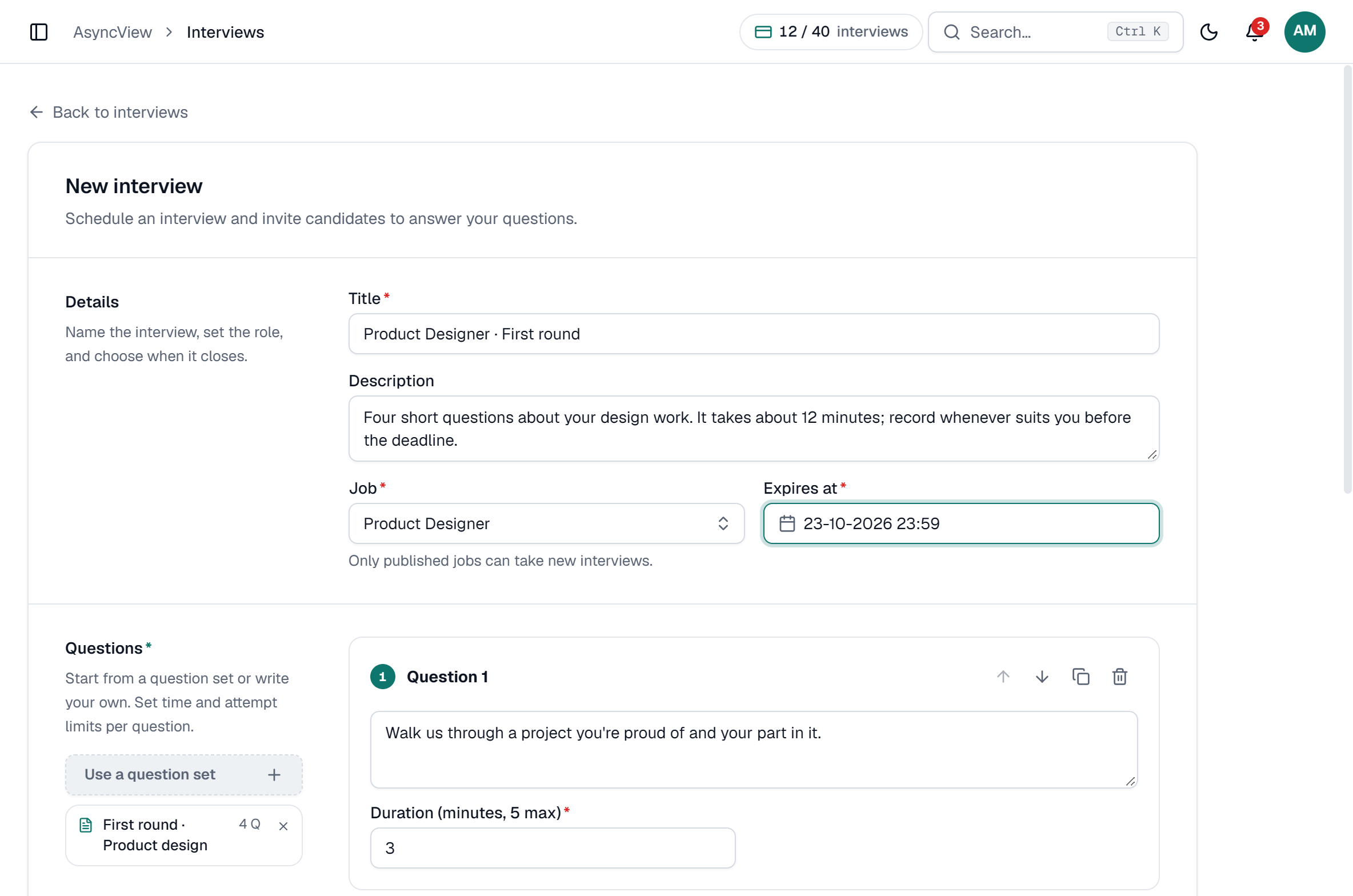
- Go to Interviews and click New interview.
- Give it a Title (candidates see it) and, if you like, a Description with a line of context for the candidate.
- Pick the Job you just published.
- Set Expires at: the date and time the link closes. A week from today is a good start.
- Add three questions, each with 2 or 3 minutes. For ideas, see one-way interview questions.
- Under Candidates, add a Full name and Email. Try it on yourself or a colleague first.
- Click Create interview. The invite email goes out straight away.
app.asyncview.com
Each candidate you add counts as one interview towards your plan. Testing on yourself uses one of the Free plan's interviews.
When the answers are in, you get an email and a notification in the bell at the top of the app. Open it from Needs attention on the dashboard and click Review.