Rate each answer
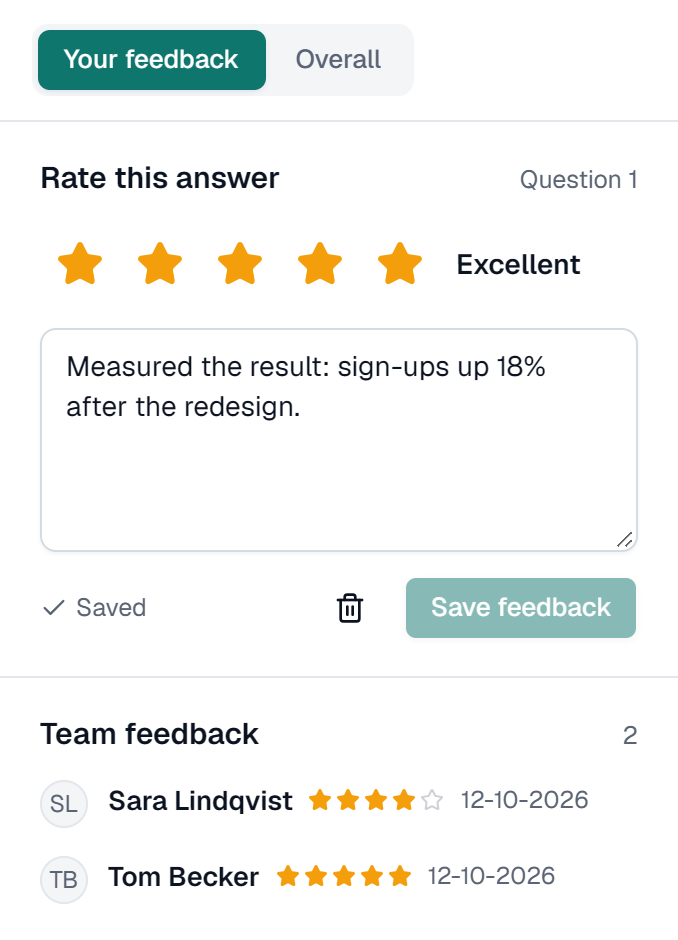
- In the side panel, open Your feedback.
- Under Rate this answer, pick 1 to 5 stars: Poor, Fair, Good, Great or Excellent.
- Add notes if you like, then click Save feedback.
Give your verdict
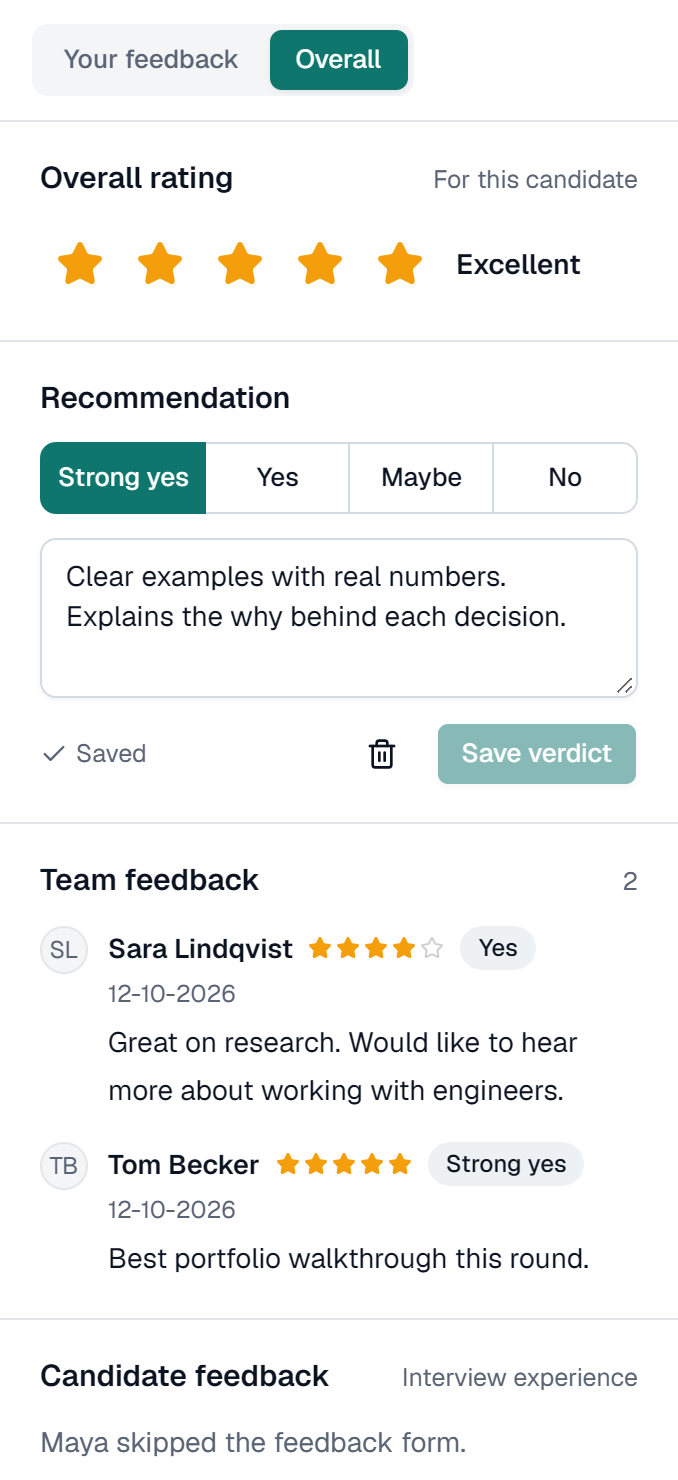
- Open the Overall tab.
- Choose an Overall rating (1 to 5) and a Recommendation: Strong yes, Yes, Maybe or No. Both are required.
- Add Overall notes and click Save verdict.
Saving feedback doesn't change the candidate's status. Shortlisting and rejecting are separate. See Shortlist or reject.
Agree what a 3 and a 5 look like for each question before anyone starts, and save your own verdict before you read your colleagues'. It keeps scores comparable.