One at a time
In New interview, under Candidates, enter a Full name and Email, then click Add candidate for the next one.
Paste a list
- Click Paste a list.
- Paste one candidate per line (semicolons work too) in any of these forms:
| You paste | Becomes |
|---|---|
| priya@example.com | Name taken from the email |
| Priya Shah <priya@example.com> | Priya Shah |
| Priya Shah, priya@example.com | Priya Shah |
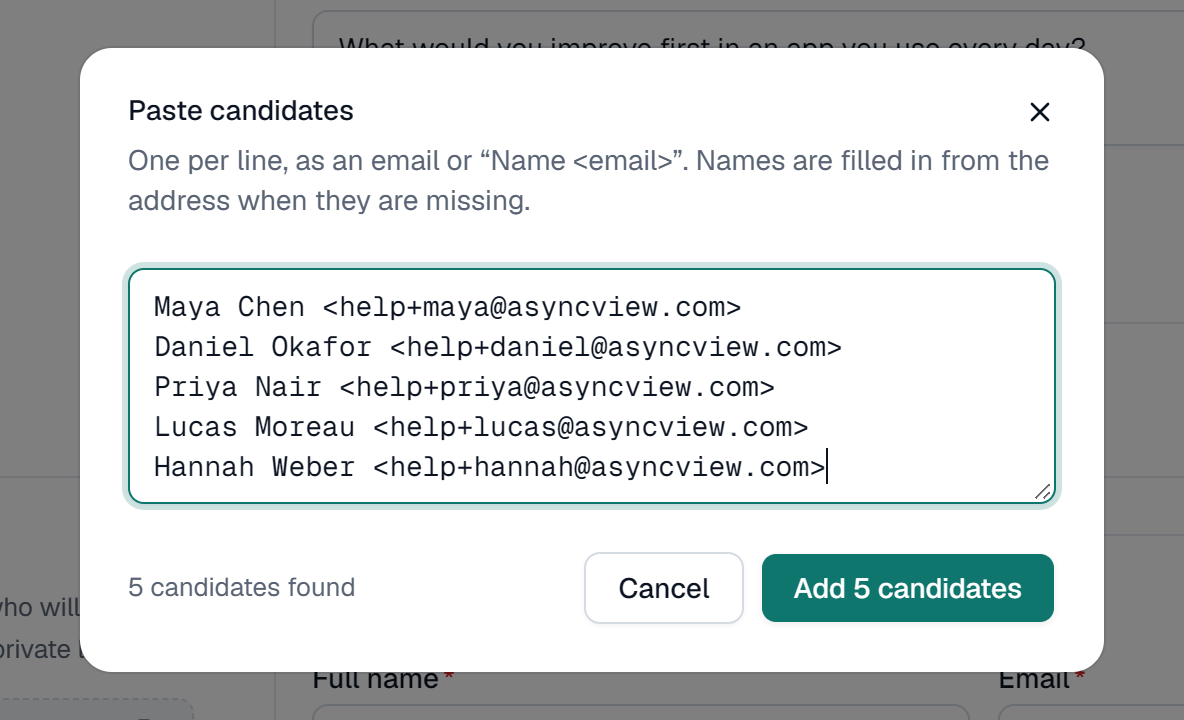
Copying two columns (name and email) from a spreadsheet works. Duplicate emails are skipped. There's no fixed maximum apart from what your plan has left.
What the candidate receives
An email with the subject "You're invited to an interview at" your company, the deadline, and a Start your interview button. No account or app is needed. See What candidates receive.
Resend an invite
If someone can't find the email, use Resend invitation in the row's menu on Interviews, or Resend invite on their page. This works while their status is Invited, before they've started.