Reminders
Candidates who haven't submitted get a reminder email 48 hours and 24 hours before their deadline. You don't need to do anything.
Change a deadline
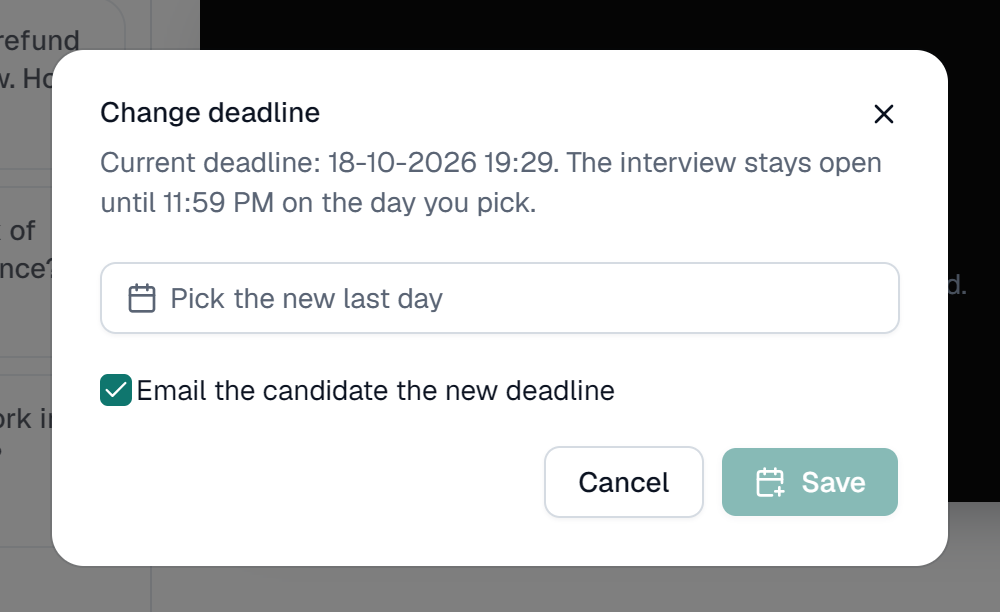
- Open the candidate's interview and click Change deadline, or click Extend next to them under Needs attention on the dashboard.
- Pick a new day, from tomorrow up to 90 days from today. The link stays open until 11:59 PM that day.
- Leave Email the candidate the new deadline ticked to let them know.
- Click Save.
- Works for candidates who are Invited, In progress or Expired.
- Moving an Expired interview's deadline reopens it, so the same link works again.
- You can also bring a deadline forward.
Deadlines are per candidate. Changing one person's doesn't affect anyone else invited at the same time.