Create a question set
- Go to Question sets and click New question set.
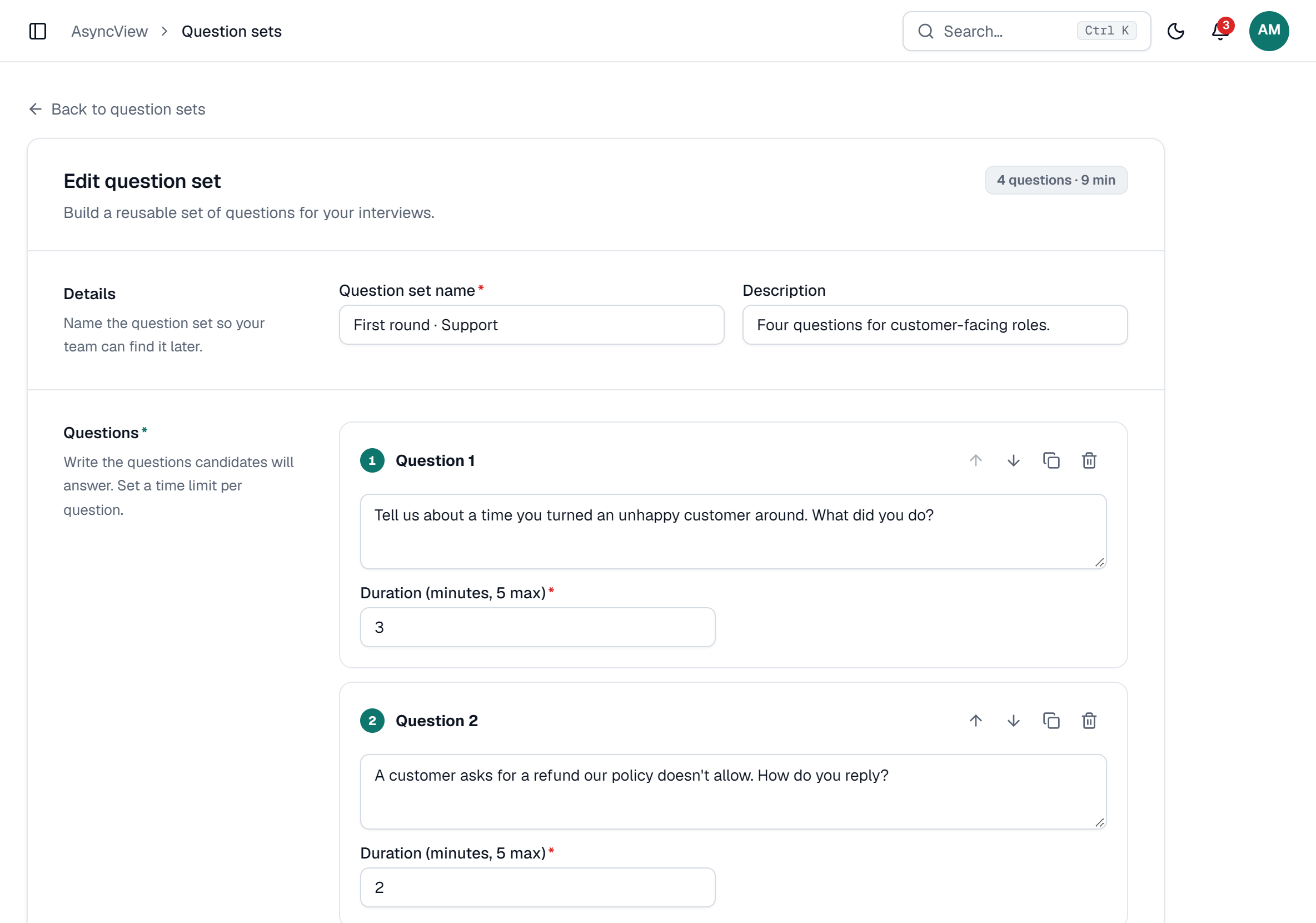
- Enter a Question set name and, if useful, a Description.
- Type each question and set its Duration (minutes, 5 max). The default is 3 minutes.
- Use the arrows to move a question up or down, the copy icon to duplicate it, and the bin to remove it.
- Click Save question set.
app.asyncview.com
| Limit | Value |
|---|---|
| Questions per set | 1 to 15 |
| Time per answer | 1 to 5 whole minutes |
Use it in an interview
In New interview, click Use a question set and pick one or more sets. Their questions are added to the interview, where you can still edit, reorder or remove them. The import is refused if it would take the interview past 15 questions.
Editing a set later doesn't change interviews you've already sent.
Sets can be edited or deleted (deleting is permanent), but not copied. To make a variation, create a new set.