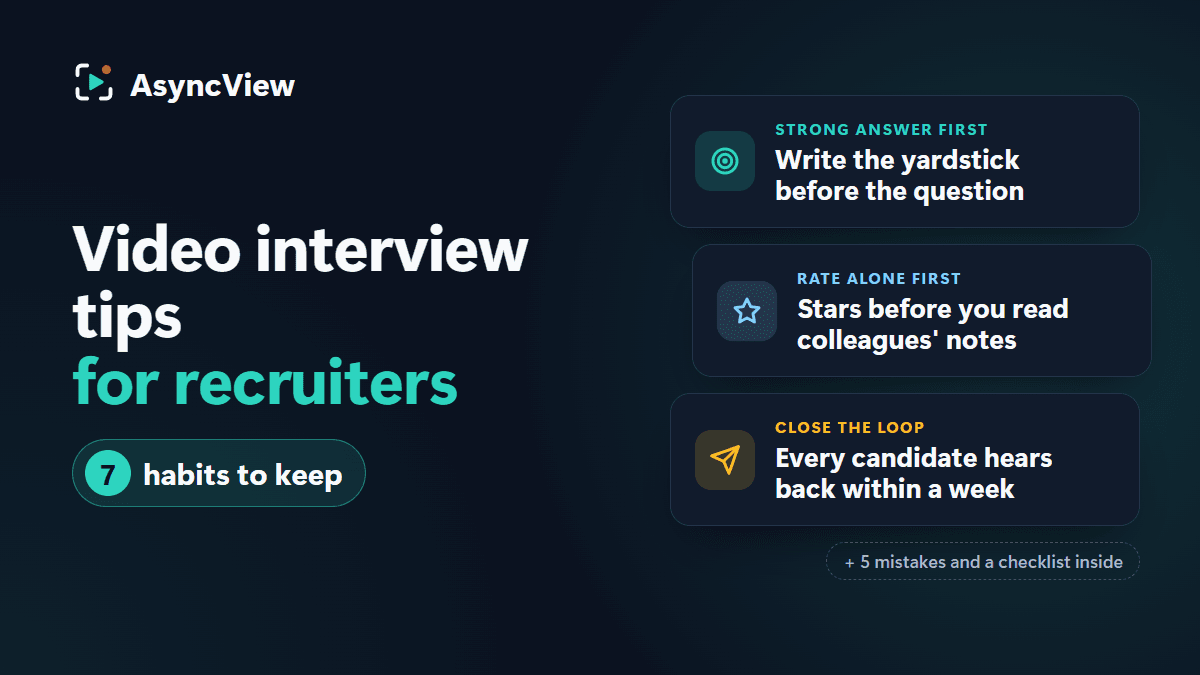
Video interview tips for recruiters: 7 habits that make screening fairer and faster
Seven recruiter-side habits, from writing the strong answer before the question to closing the loop with every candidate within a week, plus the mistakes that quietly ruin video screening and a checklist to keep open.
Most video interview tips for recruiters turn out to be advice for candidates wearing a different hat: find the light, look at the lens, smile. None of it helps the recruiter with 40 recordings to watch before Thursday and a hiring manager wondering where the shortlist is.
Whether you've run a dozen one-way video interviews or you're building your first, what separates a fair, quick round from one that feels like homework for everybody is rarely the software. It's a short list of recruiter habits, nearly all of them formed before a single invitation goes out.
Below are the seven habits we'd defend, the mistakes that undo them, and a checklist. Starting from nothing? Read the playbook for your first interview first; this post assumes you've run at least one.
Video interview tips for recruiters: 7 habits worth keeping
1. Decide what five stars sounds like before you draft the question
The usual order is question first, standard later, somewhere around the third recording. So the first two candidates were scored against a standard that didn't exist yet.
Reverse it. Write a single line describing the answer you'd give five stars to, then the question that invites it. Hiring a bookkeeper? The five-star line might be: spots the error quickly, explains how they'd trace it, and mentions telling the client before being asked. The question follows naturally: "You notice a supplier has been paid twice. Talk us through the next hour."
Keep the five-star lines in a short shared note alongside the saved question set (not in the question text, or candidates will read it), so everyone reviewing works from the same yardstick. It costs a minute per question and pays back on every single recording.
2. Go through the candidate side yourself before every new interview
Not just once when you signed up. Each new interview, before anyone else: add your own address to the candidate list, open the invitation on your phone, pass the camera and mic check, do the warm-up, and answer every question with the countdown running.
The admin view hides things the recording view exposes: a question that's fine in writing but a mouthful spoken, a one-minute limit on a question that needs three minutes, a heads-up email that never mentions the deadline. Ten slightly awkward minutes on your own video spares every candidate the same thing. There are screenshots of both sides under how it works, but reading isn't the same as sitting through it.
3. One question per question, written the way you'd say it out loud
"Walk us through your CV, tell us why you applied and describe your ideal manager" is three questions pretending to be one. The candidate spends most of the time on the first part, skims the other two, and you end up unable to score any of them.
Each question should be after exactly one thing. Then say it out loud. If it trips you, rewrite it. "Describe an occasion on which you exhibited resilience" turns into "Tell us about something at work that went badly wrong. How did you handle the week after?" Nothing is lost, and the candidate answers like a human instead of a cover letter. For raw material, there's a bank of one-way interview questions grouped by what each one reveals.
4. Time limits that match the question, under about 12 minutes in total
Giving every question the same limit is tempting and wrong. Roughly:
Why this job, why us: one minute is plenty.
Past experience ("tell us about a time"): two minutes, enough for context, action and result.
Scenarios ("a customer does X; what then?"): two to three minutes, since the candidate is working it out live.
Now total it. Three questions at those limits is five or six minutes of recording at most, plus the tech check and warm-up, so the whole thing fits inside a lunch break. Push past about 12 minutes and completions fall away, and the people who still finish are the ones with the emptiest diaries, not the best candidates. Nobody has to fill the time, either: AsyncView's timer warns with half a minute left and again at ten seconds, then stops, and strong answers often end well short of it.
5. An invitation that says why video, how long, by when and what happens afterwards
A link with "please complete your video interview" and nothing else feels like a chore. AsyncView's invitation email carries the link and the deadline; your own words go in the interview's note, which candidates read on the start page, or in a short email from your own inbox sent just before. Four sentences do the job:
Thank you for your Marketing Executive application. We've replaced the usual phone screen with three short questions you answer on video, at any time that suits you before Tuesday 21st at 10pm. Allow about ten minutes. A camera check and an unrecorded warm-up come first, and there's nothing to install or sign up for. Our hiring manager and I both watch every answer, and you'll hear back from us by the end of the following week whichever way it goes.
Candidates who know what's coming record better answers, which helps you at least as much as them. Send them our tips for candidates too, and borrow from these invitation email templates if you want other versions.
6. Review in sittings, and score alone before you look at the team's view
Scoring in odd gaps between meetings means Tuesday-morning you and Friday-afternoon you are two reviewers with two standards. Book one or two proper sittings, keep the five-star lines open, and work through a batch.
Then score on your own first. Once you've seen a colleague's "Strong yes", your two stars start to look mean and drift to three. AsyncView asks each reviewer for one to five stars per answer and an overall call (Strong yes, Yes, Maybe, No), and notes stay private to your team. Everyone's feedback sits side by side under your own form, and the meeting only needs to cover the candidates you disagree on. Not peeking is still a matter of willpower. There's more on this in our post on reducing bias in one-way video interviews.
7. Close the loop with every candidate within a week, including the no's
Someone gave you ten minutes of their evening, on camera, with a countdown. Hearing nothing afterwards is the complaint candidates make most about video screening, and the one thing entirely within your control.
Make it a rule: everyone hears something within seven days of the deadline. Shortlisted candidates get the next step and a date. The rest get a short, kind no; "we're moving ahead with candidates whose experience sits closer to what the role needs" is honest and sufficient. In AsyncView, shortlist and reject are a click each, and reject is final, so glance at everyone's scores first. The "Needs attention" list flags submitted interviews nobody has reviewed yet.
Five mistakes that quietly ruin video screening
Most lists of video interview tips for recruiters stop at the habits. The mistakes deserve equal billing, because none of them looks like a mistake while you're making it.
Too many questions. Eight feels thorough; it's an exam. The candidates who finish are flagging by question five, and you get eight middling answers rather than four good ones. Three to five, every time.
Judging camera presence. Nice lighting, a tidy bookshelf and a confident delivery aren't the job, unless the job is presenting. Score what was said.
Vague notes. "Seemed good" helps nobody, least of all you in three weeks when the hiring manager asks why. "Clear example of calming a refund dispute, around 1:20 in Q3" is a note.
Letting the loudest reviewer decide. When one opinion lands first and hardest, every other score drifts towards it. Independent scores first, discussion second, and only where the scores differ.
Silence after submission. Candidates who hear nothing assume the worst, tell their friends, and don't apply next time. Seven days is the limit.
Before, during and after: a checklist
The one-way video interview tips for recruiters above, boiled down.
Before you send it
A five-star line for every question
Three to five questions, one thing each, said aloud
Limits matched to question type, about 12 minutes or less in total
Your heads-up email covers why video, how long, by when and what comes after
You've recorded it yourself, from your own inbox, on a phone
Deadline about a week out, reviewers' sittings booked
While it's open
Check who has started a couple of days before the deadline (reminder emails go out two days and one day before, automatically)
Extend by a week for anyone who asks with a reason
Offer an alternative to anyone who can't do video
Don't score in the gaps; wait for your sitting
After the deadline
Score independently: stars per answer, an overall call, one specific note
Compare everyone's scores; discuss only the disagreements
Shortlist, and double-check before any final reject
Every candidate hears back within seven days
Note one thing to change in the question set for next time
What these habits won't fix
Good video screening makes a decent process faster and fairer. It doesn't rescue a bad one. A vague role description gets you vague answers to carefully written questions. A salary below the market means the strongest people never press record, however polished the invitation. Sort those out first.
A one-way video interview is also one stage of several. Senior and specialist hires still expect a conversation early on, and everybody deserves a live round before an offer where they can put their own questions. Anyone who needs a different format, whatever the reason, should get one without having to argue for it.
Frequently asked questions
How do I make video interviews less awkward for candidates?
Tell them what's coming before they click: how many questions, how long, that there's a warm-up, and that nobody is watching live. Keep the total under about 12 minutes and reply to everyone afterwards. Most of the awkwardness is not knowing.
How many reviewers should watch each interview?
Two for most roles: the recruiter and the hiring manager, scoring independently. Three if the role is senior or the team is split. Past three, nobody feels responsible for the decision.
Should I watch at 1.5× speed?
For most answers, yes. Speech at 1.25× to 1.5× is easy to follow. Drop back to normal speed for answers you're unsure about and for anyone speaking in a second language. AsyncView's player runs between half speed and double, and J and K (or the arrow keys) skip between answers.
How quickly should I reply to candidates?
Within seven days of the deadline, to everyone, rejections included. Sooner is better for the shortlist, who may have other offers. If a decision will take longer, send a short holding note.
What should I write in reviewer notes?
One or two specific observations tied to the five-star line, with a rough timestamp and whether it hit the mark. Skip impressions of personality and anything about appearance or accent.
If you take one habit from this list, take the second: build your next interview, invite yourself, and record it on your phone. You'll fix three things before a single candidate sees it, and the other six video interview tips for recruiters will make far more sense once you've been on the receiving end.