How to reduce bias in one-way video interviews
Video shows reviewers everything, which cuts both ways. Here's where bias creeps in, what the one-way format fixes by design, and eight review habits that make screening fairer.
Video is good at one thing that makes recruiters nervous: it shows you everything. A phone screen hides the candidate's face, their room and their clothes. A CV hides their accent. A one-way video interview hides none of it, which is why hiring leads who want to reduce bias in video interviews often start from a worried place. If every candidate is on camera, doesn't every snap judgement get a bigger stage?
Partly, yes. But the same format also fixes several biases that a phone screen quietly lets through, and it leaves a record you can check afterwards. Whether a one-way video interview ends up fairer than what you do now depends almost entirely on how your team reviews it.
Where bias creeps into video interviews
Most of what goes wrong isn't malice. It's a tired reviewer on the eleventh answer of the afternoon letting an impression stand in for a judgement. Video gives those impressions more to feed on:
Appearance and dress. A blazer reads as "serious" and a hoodie as "casual". Neither says anything about the job.
Accent and fluency. A candidate answering in their second language, or with an accent the reviewer doesn't hear every day, is easy to mark down for "communication" when the content of the answer was fine.
Background and lighting. A tidy bookshelf and a ring light say something about the person's flat and budget, and nothing about their work. The candidate recording in a shared kitchen at 10pm may be the better hire.
Camera confidence. Some people are relaxed on video because they've done a lot of it. It's a skill, just rarely the one you're hiring for, and it's easy to mistake for competence.
Order effects. The fifth candidate gets judged against the fourth, not against the standard. After two weak answers, an average one looks strong. After a brilliant one, it looks poor.
The halo from one great answer. One excellent story in question two makes a reviewer generous on three, four and five. The reverse happens too.
Reading colleagues' ratings first. If the hiring manager has already given four stars, the second reviewer rarely gives two. The first opinion becomes the team opinion without anyone deciding that.
None of this is new. It all happens in live interviews too. Video just makes it more visible and, in a couple of cases, easier to fix.
What the one-way format already fixes, and what it can make worse
Much of the structure that fairness guidance asks for is built into a one-way video interview already:
Same questions, same order. Nobody gets an easier version because the interviewer warmed to them in the first two minutes.
Same time limit. One candidate can't talk for ten minutes while another is cut off at two.
One take each. In AsyncView, answers are recorded once, deliberately. The candidate with a free afternoon can't polish eight attempts while the one with a job and two kids gets one.
Separate ratings. Every reviewer gives their own stars, rather than the team agreeing one verdict in a room where the most senior voice goes first.
A recording everyone can check. If someone says "she was vague on the refund question", you can go to the refund question and listen. Memory of a phone screen can't be audited. A recording can.
What it can make worse is presence. On a phone, nobody judges the room. In a one-way video interview every candidate is on camera, so every candidate's lighting, clothes and eye contact are there to be judged. That's the trade-off, and it's why most of the fixes below are about rating what was said.
Eight practical ways to reduce bias in video interviews
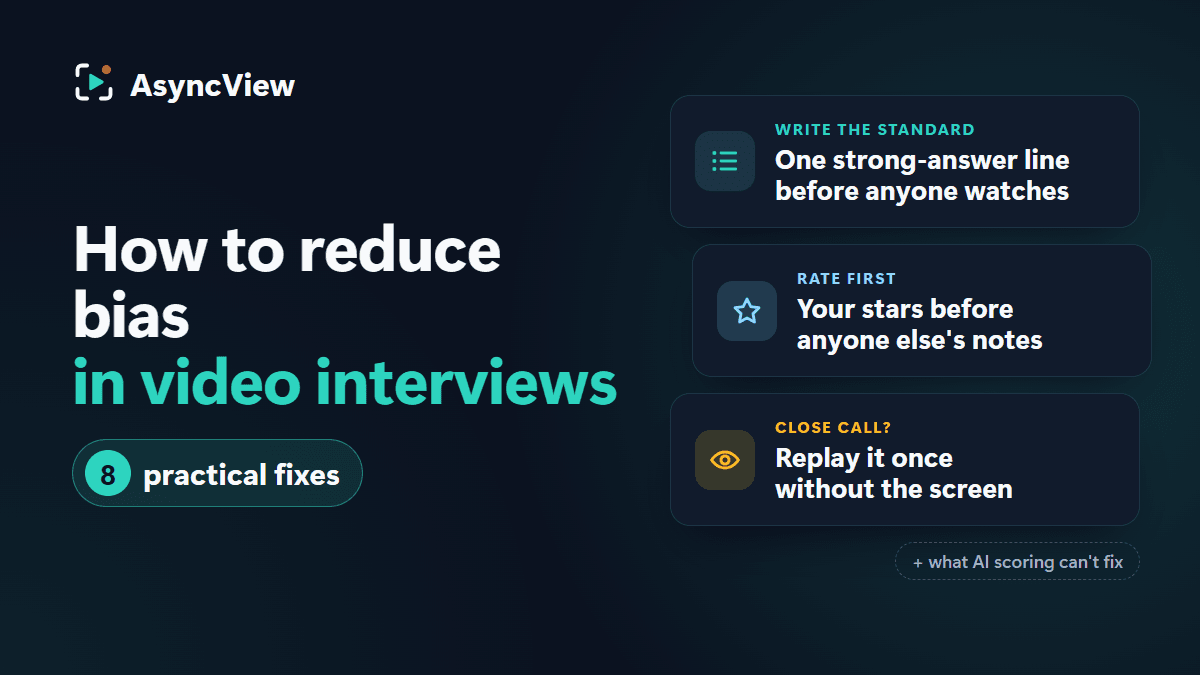
1. Write the "strong answer" line before anyone watches
For each question, write one sentence describing what a strong answer contains. For "Tell us about a time you disagreed with a manager", it might be: a real example, explains their reasoning, shows they listened, and says what happened in the end. Do this before the first recording arrives, because once you've seen a candidate you'll be tempted to write the standard around them.
Store these sentences somewhere the whole panel can open, beside the question set rather than inside the question wording, which candidates see. In AsyncView the saved question set is already shared with the whole team, so the standard and the questions stay together rather than living in one person's head. Our question bank has a "listen for" line for each group of questions to start from.
2. Rate each answer before reading anyone else's notes
Give your stars and write your note, then look at what colleagues said. Not the other way round. The rule is simple; the discipline is harder, because the other opinion is right there.
In AsyncView, colleagues' stars, recommendations and notes are listed below the place where you enter yours, so the habit is simply to finish your verdict before scrolling down. Notes are private to your team. Where two reviewers land two stars apart, that's where the discussion should go. Where they agree, move on.
3. Rate what they said, not how it looked
A quick test for any rating: would this answer be just as good if all I had was a transcript? If the honest reply is "no, but they came across really well", you're rating presence. If it's "yes, the example was specific and the reasoning was clear", you're rating the answer. Noting one specific thing you heard, with a rough time, keeps you honest. "Good example of handling a double charge, around 0:50" can't come from a blazer.
4. Watch candidates in a different order from your colleague
Order effects are hard to notice in yourself and easy to cancel across a team. If you review in submission order, ask your colleague to start from the other end, or to sort by name. Your "fifth after a strong fourth" is their second, and the effect washes out when the ratings are combined.
5. Calibrate with one shared example first
Before the real reviewing starts, have everyone watch the same single interview and rate it on their own. Then compare. In twenty minutes you'll learn that one reviewer treats three stars as "fine" and another as "probably not", and you can agree what the numbers mean before they're spread across thirty candidates. Your own recorded answers work fine as the example.
6. For a close call, listen once without watching
Stuck between three and four stars? Play the answer again with the window minimised, and just listen. The rating moves more often than you'd expect. If it moves up, something visual was pulling it down. If it moves down, something visual was propping it up. Either way, the second number is the better one.
7. Look at your own patterns every few hires
Every few roles, go back through your own ratings and ask the blunt question: who do I consistently rate higher, and why? Same kind of company? Same university? Same way of speaking? You won't always like the answer, but it's better to find it in a review than in a complaint. Do the same at team level: a reviewer who's always a star above everyone else needs a calibration chat, not a telling-off.
8. Offer an alternative format, and say so in the invitation
Some candidates can't do a video interview well, or at all: a hearing or speech impairment, a stammer, severe anxiety, no private space, no reliable connection. Put a line in your invitation email offering an alternative (a phone call, written answers, a live call with the same questions) to anyone who asks, and mean it. A candidate who has to request an adjustment in a process that never mentioned adjustments has already been treated differently. The invitation template in our step-by-step playbook is a good place to add it, and there's more on adjustments in accessible video interviews.
A note on AI scoring
Some video interview tools score candidates automatically: a model watches the recording and ranks people on speech, word choice or expression. AsyncView deliberately doesn't, so no model is quietly ranking anyone on voice or face. If the aim is to reduce bias in video interviews in a way you can defend, a human with a written standard, stars they chose themselves and a note explaining why is what you want. "The algorithm preferred her" is not an answer to give a candidate, a manager or a tribunal. What the review tools do include is on the features page.
Honest limits
No process is bias-free, and anyone selling you one is selling. The fixes above reduce bias in video interviews; they don't remove it. Structured questions, written standards and independent ratings make judgement more consistent and more defensible. Reviewers are still people.
Also:
Don't promise "unbiased hiring" in a job ad or to a candidate. Promise a structured process where every candidate gets the same questions and every answer is rated against the same standard. That's true, and you can show it.
Check your local employment law on recorded interviews: whether you need consent, how long you can keep recordings and who may access them. The rules differ by country and sometimes by state, so check with an employment adviser. AsyncView keeps recordings in private storage, visible only to your company, but what you can lawfully record and retain is your call, not the tool's.
It can't fix a bad question. "Tell us about yourself" has no standard to rate against.
It can't fix a bad shortlist. If bias is happening at CV screening, the video round inherits it. Look upstream too.
Frequently asked questions
Do video interviews increase bias?
They can, because reviewers see appearance, background and camera confidence that a phone screen hides. They also reduce it, because every candidate gets the same questions, the same time and independent ratings. The net effect depends on how you review, not on the format.
Is AI scoring fairer than human review?
Not in any way you can verify. A model scoring on voice or facial expression can carry biases nobody on your team chose or can explain. A human rating against a written standard can be wrong, but you can see the reasoning and challenge it. AsyncView has no AI scoring for exactly this reason.
Should I hide candidate names?
It helps at CV stage, where a name is most of what you see. In a video interview the candidate is on screen, so hiding the name does little on its own. Put the effort into the written standard and independent rating instead.
How many reviewers reduce bias?
Two independent reviewers is the big step up from one; three is better if you can spare the time. The word that matters is independent: three people who read each other's notes first are one opinion with three signatures.
What questions are off limits?
Anything about age, family plans, health, religion, nationality, sexual orientation or other protected characteristics, directly or by proxy ("when did you graduate?"). The exact list depends on where you hire, so check locally. Ask about the job. If you can't say how a question helps you rate against the strong-answer line, cut it.
Fair video interviews come down to a written standard and reviewers who rate before they talk. Test it on yourself: write the strong-answer lines for your next role, record your own answers, and have two colleagues rate them without comparing notes. The gap between their ratings will tell you where to start.